
Oday Explain
Oday Explain is a free online whiteboard I host at explain.oday-bakkour.com. It is built on the open-source Excalidraw editor, so you get a hand-drawn style canvas, live collaboration, shareable links and PNG or SVG export with no account.
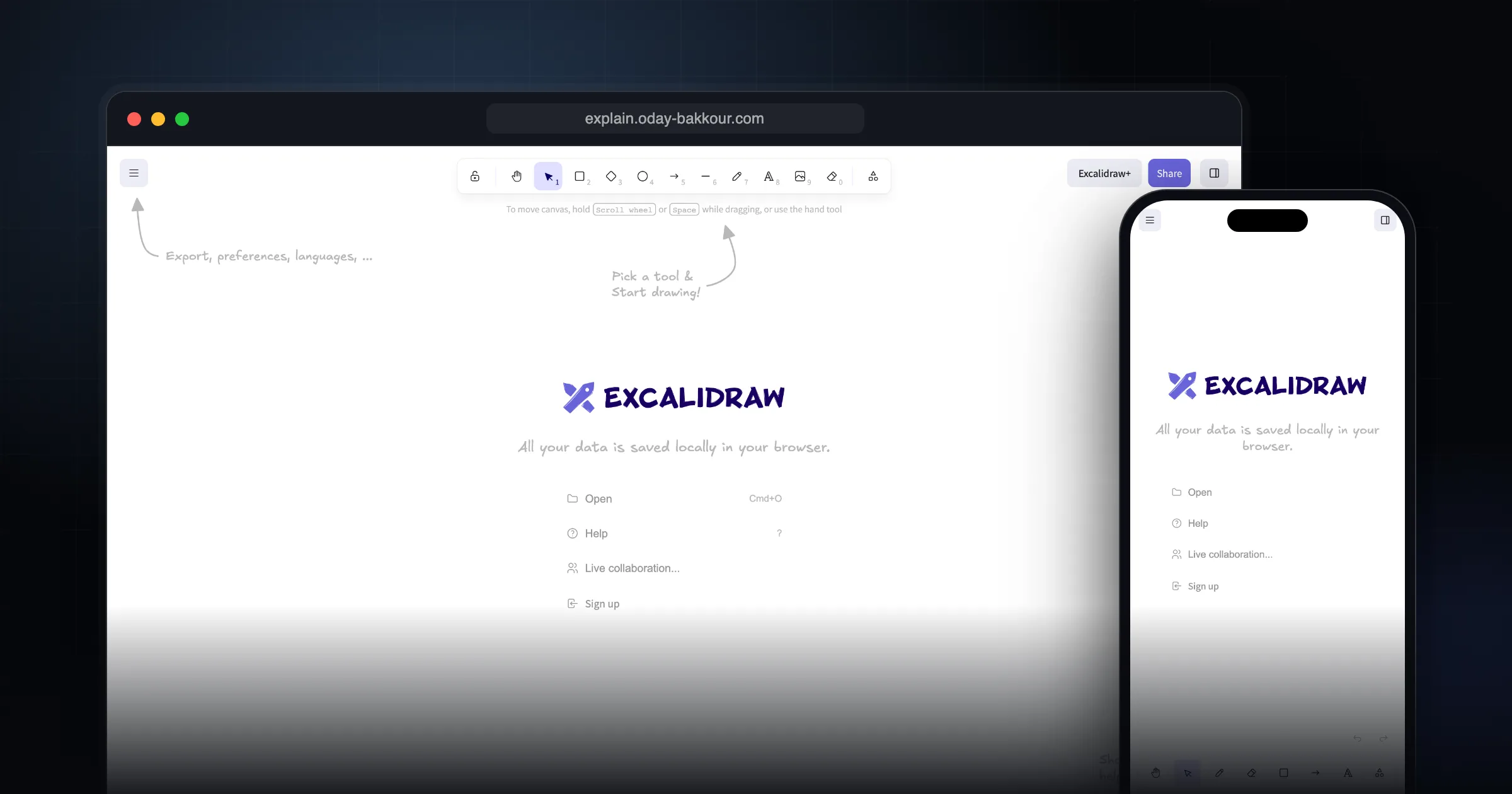
What it does well.
Infinite canvas with a hand-drawn style
No signup, opens straight in the browser
Real-time collaboration sessions
Read-only shareable links
Export to PNG, SVG, clipboard or .excalidraw JSON
Shape libraries and image support
Arrow binding and labeled arrows
Dark mode
Autosaves to your browser
Works offline as a PWA
Why I recommend this.
I recommend Oday Explain because it removes nearly all friction from visual collaboration. There’s no signup, no pricing tiers, and no hidden limitations—just a clean whiteboard you can open and use instantly. The workspace and canvas system makes it easy to keep multiple ideas organized side by side, which is especially useful when you’re comparing options, iterating on designs, or tracking different threads of a project.
Sharing is also straightforward: you simply send a link, so teammates or clients can jump in without creating accounts or learning a complex tool. Whether you’re sketching system architectures, brainstorming with a colleague, or visually explaining a concept, Oday Explain stays out of your way and lets you focus entirely on the ideas rather than the tooling.
What Oday Explain is built on
Oday Explain runs the open-source Excalidraw whiteboard app on my own subdomain. I did not build a whiteboard engine from scratch. Excalidraw is MIT licensed and well maintained, and I would rather point you to a solid tool than reinvent one. Everything below describes what that app does.
Who it is for
It is for anyone who needs to explain something visually and quickly: developers sketching system architecture, teams brainstorming in a call, teachers drawing a concept, or a freelancer walking a client through a flow. You open the link and start drawing. There is no account to create.
What it does
You get an infinite canvas with a hand-drawn look. The toolbar covers rectangles, circles, diamonds, arrows, lines, free drawing, text, images and an eraser. Arrows can bind to shapes and carry labels, so diagrams stay connected when you move things around. You can also load shape libraries.
Your drawing autosaves to your browser, and the app works offline as a PWA. When you are done, export to PNG, SVG or the clipboard, or save an `.excalidraw` JSON file you can reopen later.
Collaboration and sharing
There are two ways to share. A live collaboration session lets others draw on the same canvas with you in real time. A shareable link exports a read-only copy you can send to someone. Excalidraw describes both as end-to-end encrypted.
As currently deployed, the app uses Excalidraw's own public collaboration and link services, the same ones behind excalidraw.com.
Pricing and licence
Oday Explain is free, with no signup and no paid plan. The underlying Excalidraw code is released under the MIT licence, which is why anyone, including me, can host it.
Self-hosting your own copy
If you want a whiteboard on your own domain, you can do what I did. The Excalidraw repository contains the full app source, a Dockerfile and a docker-compose file. If you only need the editor inside your own React app, install the npm package instead and follow the Excalidraw docs.
npm install react react-dom @excalidraw/excalidrawPrivacy and security considerations
- Drawings live in your browser storage. Clearing site data or switching browsers means you lose them, so export anything you want to keep.
- Anyone with a share or session link can open that drawing. Treat links like passwords and do not paste them in public channels.
- Avoid putting credentials, customer data or internal IP addresses on a board you share.
Limitations
There are no accounts, so there is no cloud library of boards tied to you, no team permissions and no version history beyond what you export yourself. It is a sketching tool, not a full diagramming suite: if you need strict UML, BPMN or large structured diagrams, a dedicated tool will serve you better.
Alternatives
- Excalidraw.com: the original hosted app from the same project.
- tldraw: a free, instant collaborative whiteboard with a cleaner, less sketchy style.
- draw.io: an Apache 2.0 licensed diagram editor for structured diagrams like flowcharts and network maps.
Getting started checklist
- Open explain.oday-bakkour.com.
- Sketch your idea with shapes and arrows; bind arrows to shapes so they move together.
- Start a live collaboration session if others need to draw with you.
- Send a read-only link if they only need to view it.
- Export to PNG or SVG for docs, and save the .excalidraw file to edit later.
Comments
Share your thoughts and join the conversation