
Documenso
Documenso is an open-source e-signature platform, licensed under AGPL-3.0, that you can use as a hosted service or self-host on your own servers. It covers templates, signing links, teams, an API and webhooks, with a free hosted plan of 5 documents a month.
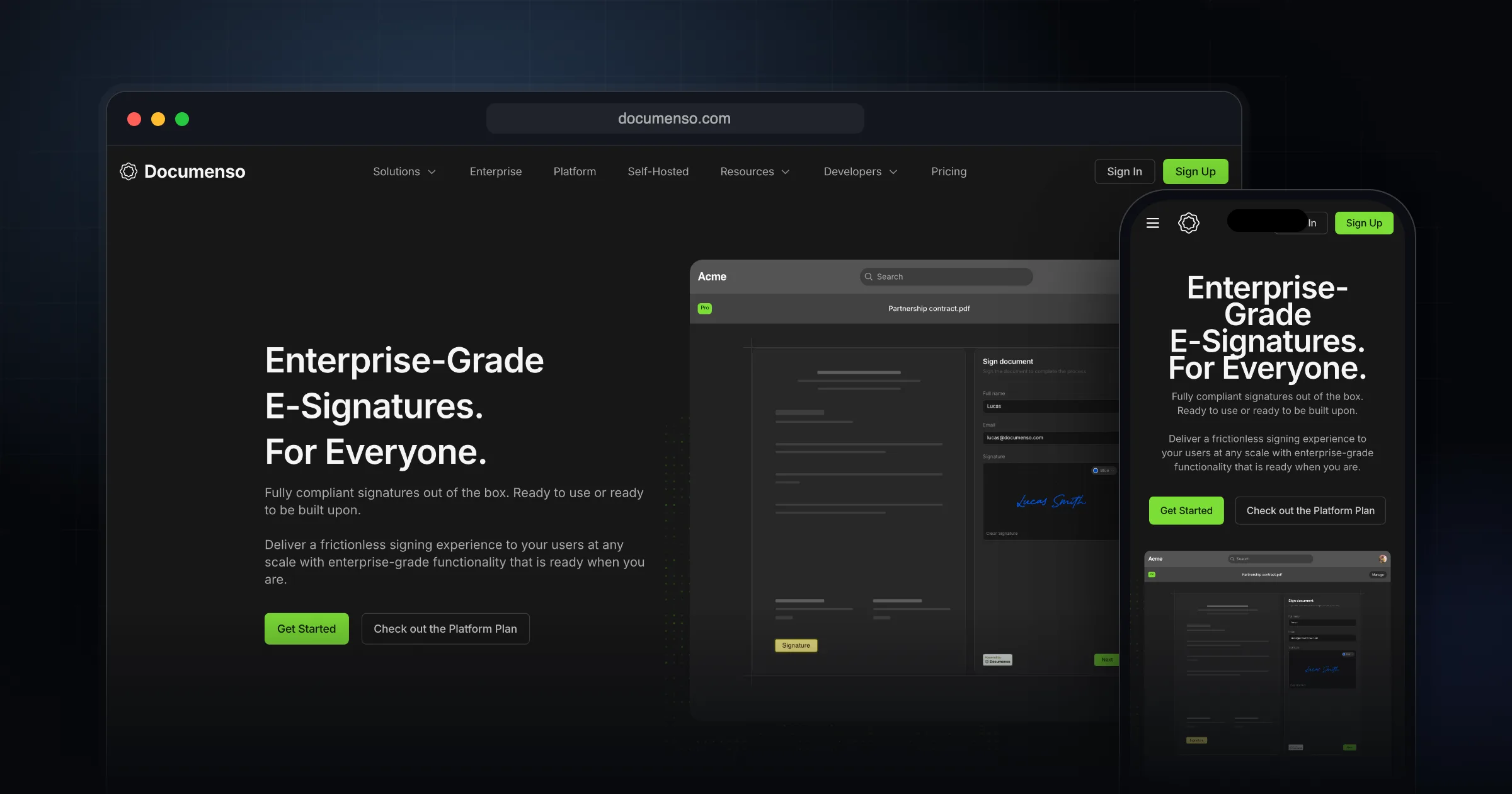
What it does well.
Open source under AGPL-3.0
Self-hosting with Docker, Kubernetes, Railway, Render or Koyeb
Reusable templates
Direct signing links without email invitations
Signer, approver and viewer recipient roles
Teams and organisations with member roles
REST API, webhooks and embedded signing
Documents sealed with X.509 signing certificates
Why I recommend this.
Documenso is a strong choice if you care about transparency, cost control, and ownership of your signing workflow.
Most traditional e-signature platforms rely on opaque pricing and vendor lock-in: you’re pushed into recurring subscriptions, often with per-document or per-seat fees that scale poorly as your usage grows. In contrast, Documenso is open-source and self-hostable, which means you can run it on your own infrastructure, audit the code, and avoid being tied to a single vendor’s roadmap or pricing decisions.
Despite being open-source, Documenso still delivers enterprise-grade, legally compliant e-signatures. The signing flow is polished and professional, so signers have a smooth experience comparable to mainstream tools. For teams that need advanced document-sharing and tracking capabilities similar to DocSend—such as controlled access, professional presentation, and workflow management—Documenso provides those benefits without sacrificing control or flexibility.
In short, if you want modern, compliant e-signatures with a great UX, but also want to avoid expensive lock-in and retain full control over your documents and infrastructure, Documenso is an excellent recommendation.
Who Documenso is for
Documenso makes the most sense for two groups. The first is developers and product teams who want to add signing to their own app through an API or embedded flow without per-envelope fees from a large vendor. The second is businesses that want contracts to live on infrastructure they control, for privacy, data residency or cost reasons.
If you only sign a few documents a month and never think about where they are stored, the free hosted plan works and you never need to touch a server.
What it actually does
You upload a PDF, place fields, add recipients and send. The user docs cover the main workflow:
- Templates you can build from scratch or from an existing document, then reuse.
- Direct links that let people sign without an email invitation.
- Recipient roles for signers, approvers and viewers.
- Signature, text, date and other field types.
- Teams inside an organisation, with members and roles.
- For developers: a REST API, webhooks and embedding, documented in the developer guide.
Pricing at the time of writing
At the time of writing (October 2026), the pricing page lists a Free plan with 5 documents per month and up to 10 recipients per document, no card required. Individual is $25 per month with unlimited documents and personal API access. Teams is $40 per month with 5 users included ($8 per extra user), API access and embedded signing. Platform is $250 per month with unlimited users, unlimited API access and white-label embedded signing. Enterprise is quoted on request and covers cloud or self-hosted setups.
Self-hosting and licensing
The GitHub repository is AGPL-3.0, and official images exist for Docker. The requirements page lists PostgreSQL 14 or newer (the only supported database), a working SMTP or email provider, and a .p12 X.509 signing certificate. Without the certificate the app starts but signing fails. A reverse proxy for TLS is recommended, and S3-compatible storage is recommended for production. Minimum hardware is 1 CPU core and 1 GB of RAM, with 2 cores and 2 GB suggested.
Read the licence carefully. The Enterprise Edition page says the Community Edition is fine if you run it unmodified, use only the API from your SaaS, or publish your changes under AGPL-3.0. Keeping modifications private needs a commercial licence. SSO with SAML and OIDC, custom email domains and the white-label embed editor are Enterprise features.
Limitations and trade-offs
Documenso's signature levels page states it supports Simple Electronic Signatures today, compliant with ESIGN, UETA and eIDAS SES. Advanced and Qualified signatures are listed as planned. If your industry needs AES or QES, it is not a fit yet. Self-hosting also means you own backups, email deliverability and certificate management.
Documenso vs. alternatives
- DocuSign: the incumbent that Documenso positions itself against. Choose it when counterparties expect it or you need features Documenso has not shipped.
- DocuSeal: also AGPLv3 and self-hostable, runs as a single Docker container with SQLite by default, and keeps features like bulk sending and white-labelling in a paid Pro tier. This site's own contract signing runs on a self-hosted DocuSeal instance.
- Documenso: the better fit when you want a Postgres-backed stack, a clear hosted upgrade path and an API-first product.
Getting started checklist
- Sign up for the free hosted plan and send one real document to yourself to test the signer experience.
- Turn your most common contract into a template.
- If you plan to self-host, prepare PostgreSQL, SMTP and a signing certificate before deploying.
- Confirm that Simple Electronic Signatures meet the legal requirements for your documents.
- Check the licence terms before modifying the code inside a commercial product.
Comments
Share your thoughts and join the conversation