
OpenClaw (formerly Clawdbot)
OpenClaw (formerly Clawdbot, then Moltbot) is a free, open-source AI assistant that runs on your own computer and takes instructions from chat apps like WhatsApp, Telegram, Slack and Discord. It can manage email and calendars, browse the web and run shell commands, so it needs careful setup.
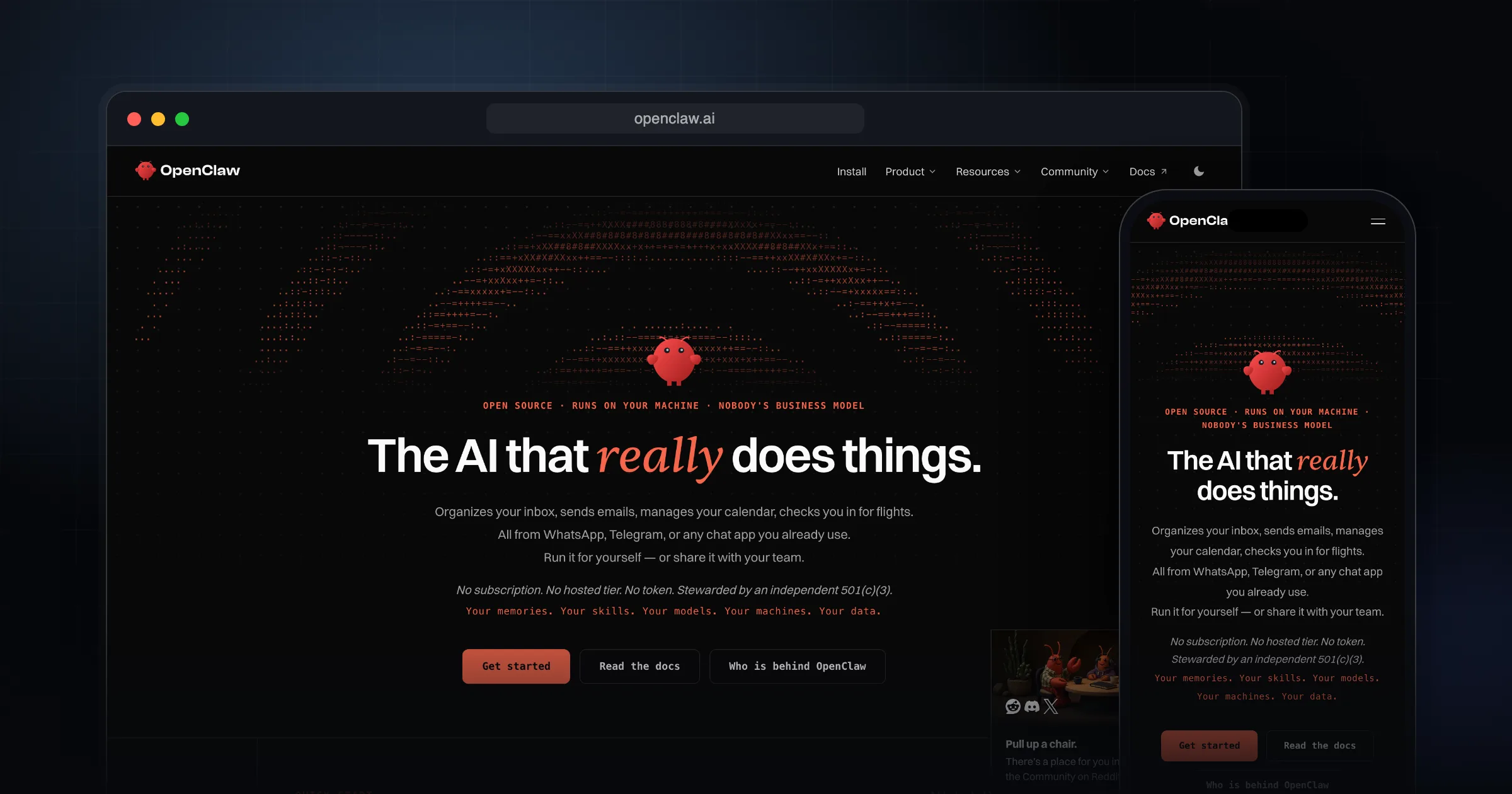
What it does well.
Runs on your own Mac, Windows or Linux machine
Chat from WhatsApp, Telegram, Discord, Slack, Signal, iMessage and more
Works with hosted models like Claude and GPT, or local models
Persistent memory of preferences, projects and people
Browser control: browse, fill forms, extract data
File access and shell commands, on the host or sandboxed
Community skills and plugins via ClawHub
DM pairing so unknown senders cannot command it by default
Built-in security audit command
MIT licensed, no paid tier
Why I recommend this.
Clawdbot is a standout example of what a personal AI should be: powerful, private, and seamlessly integrated into your existing habits.
Instead of forcing you into a new app or ecosystem, it lives directly inside WhatsApp and Telegram—the messaging apps you already use all day. That means you interact with it just like you would with a human assistant: by sending simple messages. This dramatically lowers friction and makes it feel natural to rely on it throughout the day.
Functionally, Clawdbot goes far beyond a basic chatbot. It can:
- Clear and triage your inbox
Clawdbot is now OpenClaw
If you came here looking for Clawdbot, you are in the right place. The project was renamed twice in early 2026. According to the official project lore, it was called Clawd from November 25, 2025 until January 27, 2026, when Anthropic asked for a name change over trademark concerns. The community picked Moltbot that same day, and the project moved to the name OpenClaw a few days later. The announcement post is dated January 29, 2026.
The old domains (clawd.bot and molt.bot) now redirect to openclaw.ai, and the code lives at github.com/openclaw/openclaw.
Who it is for
OpenClaw is for people who are comfortable on the command line and want an assistant that actually acts on their behalf: reading and sending email, managing a calendar, browsing sites and running scripts.
It is not a good fit if you want a hosted chatbot with no setup, or if you are not ready to think about what an agent with access to your files and accounts could do if it gets bad instructions.
What it does
OpenClaw runs a Gateway process on your machine. Chat channels (the official site counts 29) connect to that Gateway, and the agent behind it can use tools: a browser, the file system, shell commands, and community skills and plugins. It keeps memory across conversations.
For models, you can bring hosted, subscription-backed or local models. Onboarding can reuse an existing Claude Code or Codex CLI login, or take a provider API key.
Pricing and licence
OpenClaw is free. The project is MIT licensed and is stewarded by the OpenClaw Foundation, a US 501(c)(3) non-profit. The site states there is no paid tier, hosted service or enterprise edition. Your real cost is the model you connect: API usage or a subscription, unless you run a local model.
Setup at a high level
The getting started guide asks for Node.js 24 or 26 (Node 26 is recommended; 24.22.1+ or 26.12.1+ include security fixes). The install script sets up a supported Node runtime if you need one. On macOS and Linux you install with the official script, run onboarding, then install the Gateway as a background service. On Windows there is a PowerShell installer.
curl -fsSL https://openclaw.ai/install.sh | bash
openclaw onboard --install-daemon
openclaw gateway status   # should listen on port 18789
openclaw dashboard
Security considerations
This is the part I care about most. OpenClaw can read and write files and run shell commands. The README says it plainly: tools run on the host for the main session unless you configure sandboxing. Anything that reaches the agent, including an email or a web page it reads, can try to steer it. The docs tell you to treat inbound messages as untrusted input.
Good defaults help: on a normal install the Gateway binds to loopback only, and DM channels answer unknown senders with a pairing code instead of acting on their messages. Container images are different and default to an exposed bind, so they need auth in front of them.
I wrote a longer breakdown of the risks and a hardened deployment in OpenClaw security analysis. The short version:
- Run `openclaw security audit` after setup and after every config change.
- Turn on sandboxing and restrict tools per agent (tool permissions).
- Keep the Gateway on loopback. Read the exposure runbook before exposing it.
- Use dedicated accounts and API keys, not your main ones.
- Approve pairings yourself with `openclaw pairing approve <channel> <code>` and keep group access allowlisted.
- Use one Gateway per trust boundary. People who should not trust each other need separate Gateways.
Limitations
Prompt injection is not a solved problem, and the docs have a whole page on it. Setup and upkeep sit with you: Node versions, a background service and credentials. The Windows option is marked beta on the official site.
Alternatives
- NanoClaw: an MIT-licensed, lighter alternative that runs each agent in its own Linux container, so it only sees directories you mount.
- Hermes Agent: an MIT-licensed agent from Nous Research that you can reach from Telegram, Discord, Slack, WhatsApp or Signal through a single gateway process.
- n8n: if you want fixed, auditable workflows instead of a free-roaming agent. The Community edition is free to self-host.
Getting started checklist
- Use a spare machine, VM or dedicated user account, not your daily driver.
- Check `node --version` (24.22.1+ or 26.12.1+).
- Install with the official script from openclaw.ai only.
- Run onboarding with a dedicated model API key.
- Connect one chat channel first (Telegram is the quickest per the docs).
- Enable sandboxing, then run `openclaw security audit`.
- Read my security analysis before connecting email or calendar.
Comments
Share your thoughts and join the conversation